How to Create a Digital Invitation Card: Complete Step-by-Step Guide
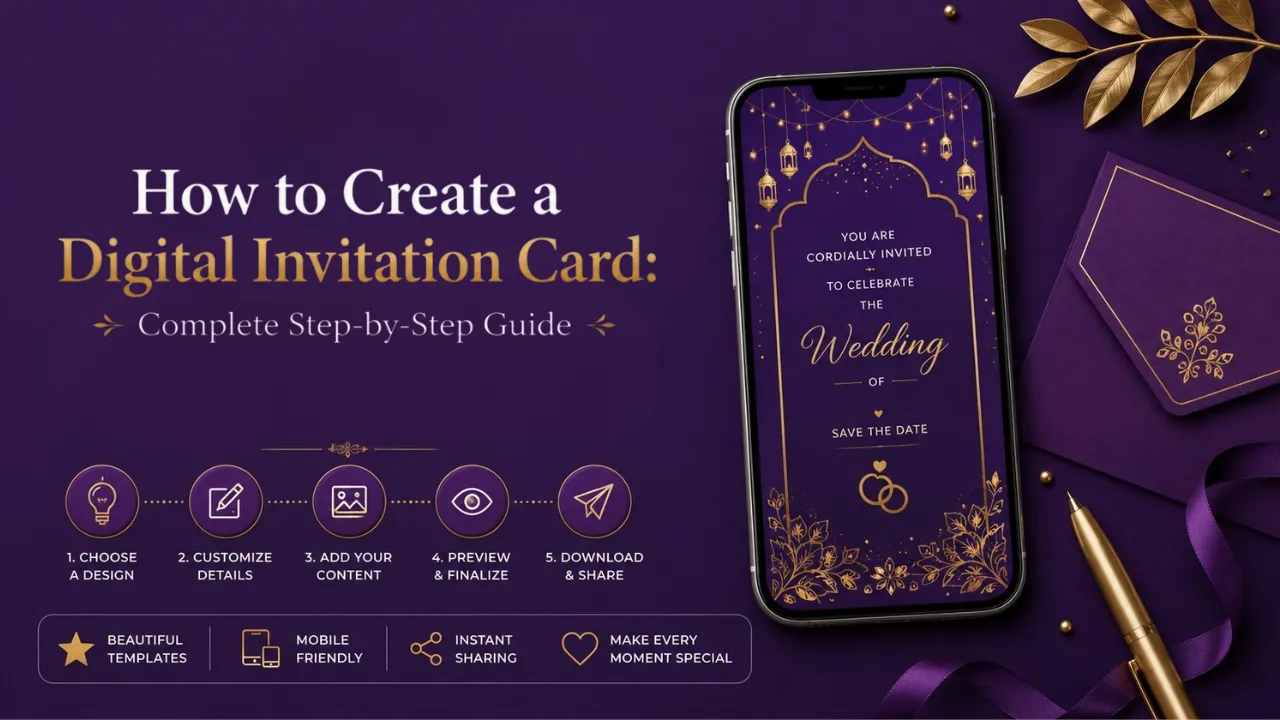
Learn how to create a beautiful digital invitation card for weddings, birthdays, baby showers, housewarming, and more. Follow this step-by-step guide to design, personalize, and share premium digital invitations on WhatsApp and social media with ease.
How to Create a Digital Invitation Card: Complete Step-by-Step Guide
A digital invitation is more than a simple image. It is the first impression of your celebration. Whether it is a wedding, birthday, baby shower, housewarming or naming ceremony, the right invitation helps your guests feel the emotion of the event before they arrive.
What Is a Digital Invitation Card?
A digital invitation card is a modern version of a traditional invitation. Instead of printing cards and physically distributing them, you create one personalised design and share it digitally with your guests.
Digital invitations are now widely used for weddings, birthdays, engagements, baby showers, naming ceremonies, housewarming ceremonies, anniversaries, puja invitations, and corporate events. They are easy to send, easy to update, and perfect for families who want a fast and elegant way to invite people.
Why Are Digital Invitation Cards So Popular?
The way people invite guests has changed completely. Earlier, families would spend days finalising printed cards, checking proofs, collecting boxes from the printer, and sending them to relatives. Today, most guests are already connected through WhatsApp and social media, so a digital invitation feels natural, fast, and convenient.
How to Create a Digital Invitation Card
Creating a digital invitation card becomes simple when you follow a clear process. The goal is not just to make something beautiful, but to create an invitation that is readable, emotional, accurate, and easy to share.
Decide the Occasion
Every invitation begins with the event itself. A wedding invitation needs elegance and tradition, while a birthday invitation may need fun, colour, and playful visuals. Once the occasion is clear, the design direction becomes easier.
Choose the Right Theme
The theme is the emotional identity of your invitation. It tells guests what kind of celebration they can expect. A good theme should match the occasion, family style, and cultural background.
Wedding: Royal Palace, Floral Gold, Traditional Hindu, Minimal Luxury
Birthday: Jungle Safari, Boss Baby, Princess, Space, Unicorn, Superhero
Baby Shower: Radha Krishna, Teddy Bear, Floral Pastel, Marathi Dohale Jevan
Housewarming: Kalash Theme, Vastu Shanti, Gruhapravesh, Modern Home
Naming Ceremony: Cradle Theme, Baby Floral, Moon & Stars, Traditional Barse
Collect All Event Details
Keep all important information ready before designing. Add the event name, host names, date, day, time, venue, Google Maps link, RSVP number, family names, dress code, and a short invitation message.
Write Clear Invitation Text
Your invitation wording should be simple, respectful, and easy to read. Avoid long paragraphs. Guests should understand the celebration details within a few seconds.
With great joy and blessings,
we invite you to celebrate the special occasion of
[Event Name]
Date: [Date]
Time: [Time]
Venue: [Venue]
Your presence will make our celebration more memorable.
Add Photos If Required
Photos make the invitation more personal. For birthdays, baby showers, engagements, and anniversaries, adding a clear photo can make the design feel more emotional and memorable.
Select Colours and Fonts
Colours and fonts decide whether your invitation looks premium or messy. Use two or three main colours only. For traditional Indian events, gold, maroon, purple, cream, green, and red work beautifully.
Create the Final Design
Once the theme, details, photos, colours, and wording are ready, the design can be created. You can use a DIY design tool, hire a designer, or order from a professional digital invitation studio.
Check Everything Before Sharing
Always proofread your invitation before sending it. Check every name, spelling, date, time, venue, phone number, and map link carefully.
Share on WhatsApp and Social Media
After the invitation is ready, share it with your guest list. WhatsApp is the most common platform, but you can also send it through Instagram, Facebook, Telegram, email, or SMS.
Digital Invitation Card vs Digital Invitation Video
Both formats are useful, but they serve different purposes. A card is simple and direct. A video feels more premium, emotional, and engaging.
Digital Invitation Card
Best for simple event sharing, puja invitations, housewarming details, and quick WhatsApp forwarding. It is clean, fast, and easy to view.
Digital Invitation Video
Best for weddings, birthdays, baby showers, and milestone events where animation, music, and emotion can make the invite more memorable.
Common Mistakes to Avoid
Should You Create It Yourself or Order a Professional Digital Invitation?
If your event is small and casual, you can create a simple invitation yourself. But for important celebrations like weddings, baby showers, birthdays, engagements, and housewarming ceremonies, a professional design can make a big difference.
Frequently Asked Questions
What is the best size for a digital invitation card?
For WhatsApp and mobile sharing, vertical formats like 9:16 or 4:5 work very well.
Can I create a digital invitation in Marathi or Hindi?
Yes. Digital invitations can be created in Marathi, Hindi, English, or any other language depending on the event and family preference.
Can I add music to a digital invitation?
Music is usually added to invitation videos. It helps create emotion and makes the invitation feel more premium.
How long does it take to create a digital invitation?
A simple digital card can be created quickly, while a personalised invitation video may take a few hours depending on design complexity and revisions.
Create a Premium Digital Invitation with Daily Branding Invites
At Daily Branding Invites, we create personalised digital invitation cards and AI-powered animated invitation videos for weddings, birthdays, baby showers, naming ceremonies, housewarming events, engagements, anniversaries, and more.
Choose your favourite design, share your event details, and receive a beautiful ready-to-share invitation for WhatsApp and social media.
Explore Invitation Designs